

Seb Frey is a REALTOR® and founder of Team Sixty Plus, a curated network connecting older adults and their families with trusted professionals across California. With decades of experience helping homeowners 60+ navigate major life transitions—like downsizing, aging in place, or passing on a legacy—Seb brings deep market knowledge, a compassionate approach, and a commitment to simplifying complex decisions. When he’s not advising clients, he’s sharing expert insights on real estate, retirement strategies, and quality-of-life resources for the 60+ community.
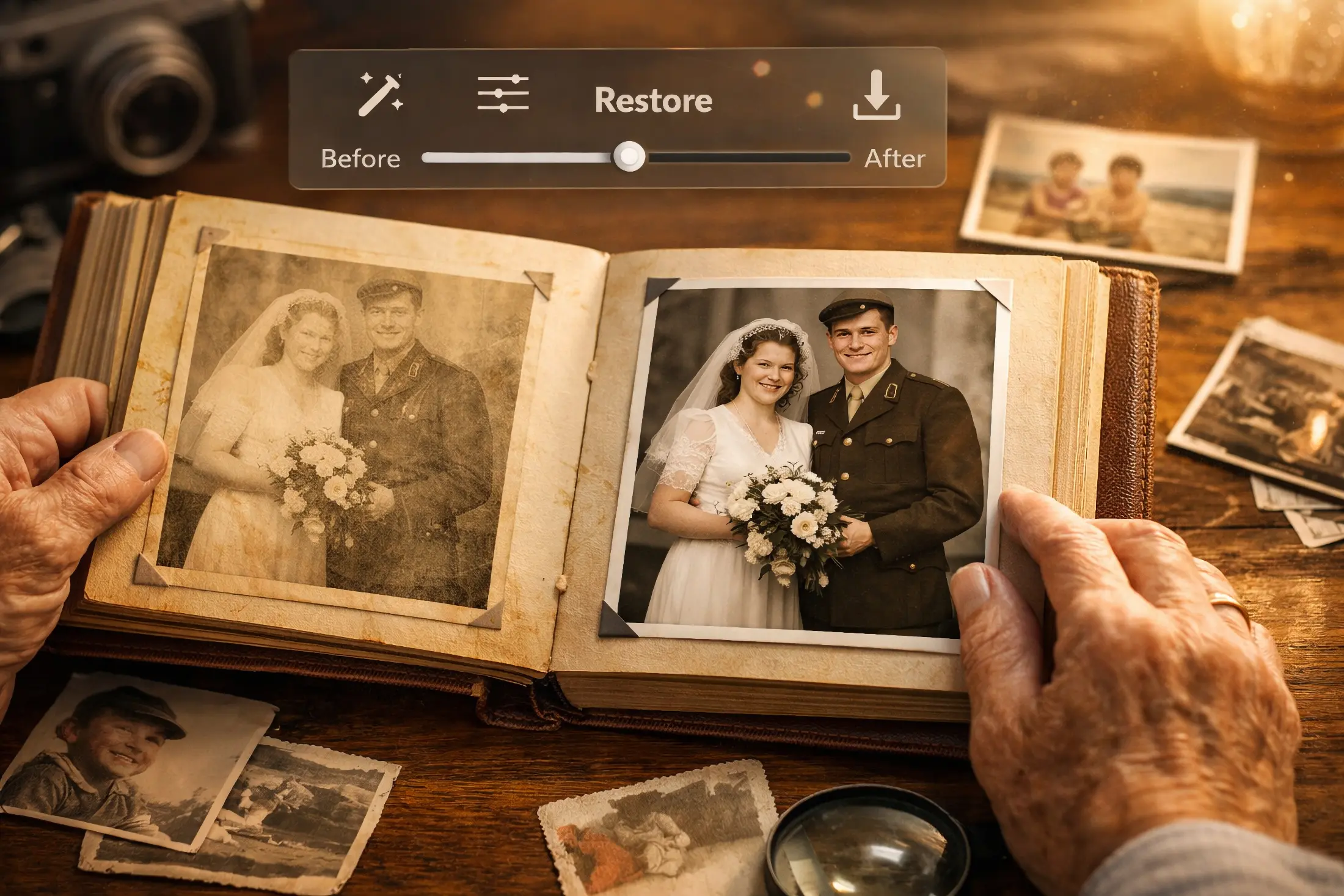
If you’ve ever opened a shoebox of fading prints and thought, “I need to save these… but where do I even start?”—that’s the exact problem Vivid-Pix is built to solve. Vivid-Pix offers a mix of photo restoration software, storytelling tools, printing options, and even digitizing services that can turn “someday” family history projects into something you can actually finish.
Where it gets especially interesting for older adults (and families supporting them) is the focus on photos as connection tools—not just “pretty images.” Vivid-Pix’s Memory Station ecosystem is designed to scan/organize images, improve them, record voice memories, and output shareable MP4 video stories—the kind of format adult children can pass around instantly, and caregivers can use to spark better conversations.
Why photos matter so much in dementia and aging
In dementia care, a lot of frustration comes from the simple reality that short-term memory fades first, while older long-term memories can remain easier to access. That’s why reminiscence therapy is so common in memory care: it uses prompts (photos, music, objects) to stimulate recall and support communication.
The research is nuanced, but encouraging:
- A major Cochrane review found that the effects of reminiscence therapy vary based on how it’s delivered and where (community vs care settings), rather than being one-size-fits-all.
- A more recent meta-analysis reported improvements in cognitive function, depressive symptoms, and quality of life, while not finding the same level of benefit for behavioral symptoms or caregiver burden.
- A plain-language medical reference from NCBI notes studies suggest mood and mental performance may improve, though the effects may be modest.
So no, photos don’t “fix” dementia. But they can absolutely create calmer, more meaningful moments—and that’s what most families are really chasing.
Medicare Made Simple
Medicare can be complicated – so let us break it down for you! Get our quick and easy guide, Medicare Made Simple!
Get the Guide!The core Vivid-Pix offerings (and what they cost)
1) Vivid-Pix RESTORE (photo restoration software)
This is Vivid-Pix’s standalone, affordable “get the photo looking better fast” tool. The pitch is simple: one-click improvement for scanned prints, slides, documents, and digital images, with optional fine-tuning controls. The full license is listed at $49.99 for Windows or Mac.
Who it’s best for:
- Anyone digitizing old family photos who wants quick wins (color correction, clarity, overall improvement) without Photoshop-level complexity.
Why it helps in aging-focused work:
- Families are far more likely to use photos when they’re clear enough to recognize faces. RESTORE is a practical step that removes friction.
2) Vivid-Pix Memory Station Software (scan → restore → record → share)
This is the “story engine.” Vivid-Pix describes Memory Station Software as Windows software that lets you scan and/or select images from your computer, restore them, record voice memories, and combine everything into an MP4 video story, with files saved locally (or to external drive/cloud if you choose).
It also offers a free trial that allows creating a limited number of stories and includes a set number of RESTORE fixes, with no credit card required.
3) Memory Station bundles (hardware + software)
If your audience wants an “all-in-one station” rather than piecing together scanners and workflows, Vivid-Pix sells Memory Station bundles and also positions Community/Professional options.
On the Memory Station page, Vivid-Pix highlights outputs like MP3 audio recording and MP4 video stories, with bundle options for Home, Professional, and Community uses.
For higher-volume users, the Memory Station Pro page lists value-offer bundles (including scanners, software licenses, RESTORE, and education), and also shows a-la-carte pricing such as:
- Memory Station Professional Edition Software (Windows) 5-year license: $499.99
- Example Pro bundles ranging from $849.95 to $1,999.95 (depending on scanner setup and included items).
4) Vivid-Pix Memory Cards
This is the most “caregiver-friendly” product because it’s physical and simple: printed cards designed to prompt conversation and story sharing. Vivid-Pix lists these at $39.99 for a set of 10 (with the option to add additional cards per set).
Vivid-Pix explicitly frames these cards as useful in home care and professional care environments, and ties them to Photo Reminiscence Therapy language.
5) Prints (photo books and more)
Vivid-Pix also offers printing through Vivid-Pix Prints, emphasizing photo books (including “Prestige Layflat” options printed on archival Fuji paper) and templates that can incorporate stories/text—useful if your goal is a “life story” book format.
6) Professional digitizing (send-out service)
For families overwhelmed by scanning (or dealing with fragile originals), Vivid-Pix offers professional digitizing for photos, albums, slides/negatives, and even film/video/audio formats, with examples like 4K scanning for film and MP4/MP3 outputs for video/audio tapes.
7) Programs for organizations (libraries, genealogy groups, community use)
Vivid-Pix has a “Family Matters” program described as a partnership with the National Genealogical Society, bundling Memory Station hardware/software plus education and outreach toolkits. This matters if your audience includes senior centers, libraries, or community programs serving older adults.
Tap Into your Home Equity
Need to raise some cash to pay for home improvements, or anything else? Get our Guide on Creative Ways to Tap Into Home Equity
Get our Guide!How Vivid-Pix fits into dementia support (practical, real-world use cases)
Use case 1: “We need better conversations, not harder questions.”
A common mistake families make is grilling someone with memory loss: “Do you remember who this is?” That can create shame or defensiveness. A better approach is to let the photo do the work:
- Put up one restored photo at a time (RESTORE helps here).
- Use gentle prompts: “Tell me about the day this was taken,” or “What do you notice first?”
- Record whatever comes up—because even small fragments are gold later.
Memory Station is designed around exactly that flow: images + voice recordings → a shareable story output.
Use case 2: Life-story videos for the whole family
One of the best “family systems” outcomes of memory work is that it stops living in one person’s head. When you can export a simple MP4 story, you can share it with siblings, grandchildren, cousins—everybody. Vivid-Pix explicitly positions Memory Station as creating MP4 video stories, saved wherever you want (computer, external drive, cloud).
Use case 3: Memory care visits that feel less awkward
If you’ve ever walked into a memory care community thinking, “What are we going to talk about for an hour?”—you’re not alone.
This is where Memory Cards shine: they’re designed to prompt conversation and connection in care environments, without needing tech skills.
Use case 4: A structured “therapy-adjacent” approach (with a big caveat)
Vivid-Pix uses the language of Photo Reminiscence Therapy (pRT) in its product ecosystem (notably in the Memory Cards description).
There are also care providers publicly describing pRT services “in collaboration with Vivid-Pix,” and stating it’s a non-pharmacological approach using personal photos and technology to stimulate memories and connection.
Important caveat: provider pages sometimes include strong benefit claims. I’d treat those as marketing unless they’re backed by published clinical evidence you can verify. If you’re writing responsibly for families, anchor your health-related statements in independent evidence (like Cochrane and peer-reviewed meta-analyses).
What I like most about Vivid-Pix (especially for older adults)
It reduces “project overwhelm.”
The hardest part of preserving memories isn’t scanning—it’s the emotional weight and the sheer volume. Vivid-Pix’s strength is giving people a defined workflow: improve photos, attach stories, and produce something you can share.
It supports multiple comfort levels.
Some people want cheap and simple (RESTORE). Others want guided, repeatable storytelling (Memory Station). Others want physical prompts (Memory Cards). Others want to outsource the whole thing (professional digitizing).
It’s built for outcomes, not just editing.
A restored photo is nice. A restored photo with a voice recording attached to it becomes a family artifact. Memory Station is intentionally set up to create that kind of legacy output.

Time to Downsize?
Discover the joy of letting go! Our guide to Downsizing helps you downsize with ease.
The drawbacks (and who should skip it)
Memory Station Software is Windows-focused.
Vivid-Pix describes Memory Station Software as Windows software on its product page. If your household is all-Mac, you’ll want to verify compatibility before committing to a Memory Station workflow.
It’s not a clinical treatment.
Reminiscence-based activities can be meaningful, but they’re not medical care. If your loved one has dementia, it’s smart to align any routine with their care team—especially if certain memories can be triggering.
Some “benefit” language is stronger than the broader evidence.
The independent research suggests reminiscence therapy can help cognition/mood/quality of life, with variability and limitations. If you’re writing an aging-focused review, it’s worth saying that plainly.
A simple 7-step “Aging + Memory” workflow using Vivid-Pix
- Choose a small theme (wedding day, military service, first home, favorite vacations).
- Digitize (DIY scanning or professional digitizing if you’re short on time).
- Restore key images with RESTORE so faces and details are easier to recognize.
- Record voice memories (even 30–60 seconds per image).
- Export MP4 stories and share them with family members.
- Create printed prompts (Memory Cards or photo book pages) for visits and caregiving routines.
- Repeat monthly instead of trying to do it all at once.
Bottom line: Is Vivid-Pix worth it?
For families navigating aging, the value isn’t just photo restoration—it’s connection, identity, and making it easier to preserve stories before they slip away. Vivid-Pix stands out because it offers a practical ladder:
- Start cheap with RESTORE ($49.99).
- Move up to story-making with Memory Station Software (free trial available; Home Edition software shown at $199.99).
- Add low-tech support with Memory Cards ($39.99).
- Or outsource entirely with professional digitizing.
If your audience includes adult children helping aging parents, caregivers supporting dementia clients, or senior-focused professionals building better family engagement, Vivid-Pix is absolutely worth a serious look.
You Need a Winning Strategy
When it comes to navigating the ocean of resources for older adults, it helps – a lot – to have someone who can show you the way. Book a call with a coach to save time, money, and no small amount of frustration.
Click Here to Book a Call